
21 days free. No card needed.
Team Chat for Shift Workers and Managers
Without a work chat, conversations end up in personal group chats. Staff share their personal phone numbers, managers can't see what was agreed, and people who have left still read every message. ShiftApp Chat keeps work conversations in one place, next to your schedule, and only for the people who work for you.
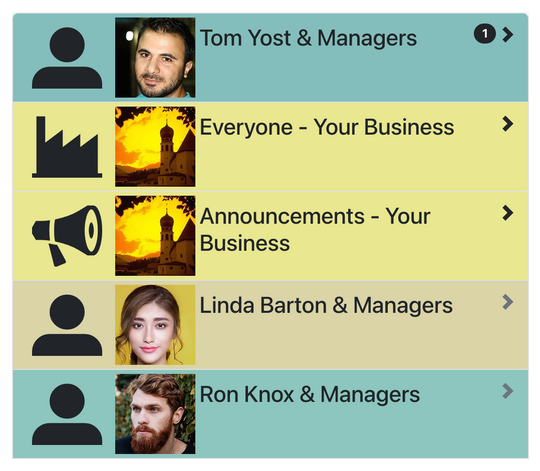
A room for every conversation
You choose which rooms to use in your workforce settings:
- Everyone: a group chat for the whole team, for swapping shifts or sharing news.
- Announcements: managers post, and everyone else can read and react. Staff using the mobile app get a notification.
- Management: just for your managers.
- Each employee with the managers: a private room for questions about shifts, or for letting you know they're running late.
Rooms with unread messages are listed first, and the Chat tab shows how many messages are waiting.
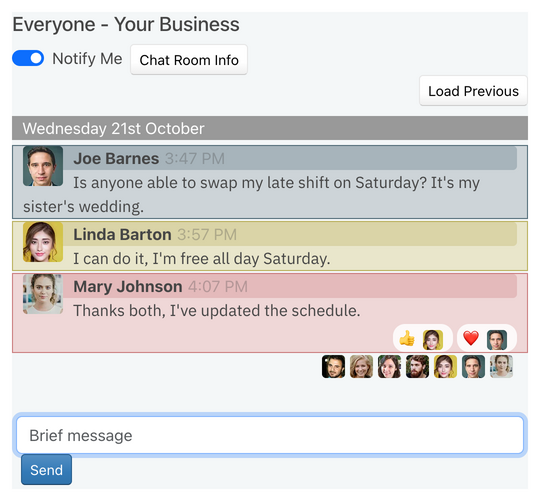
See who has read it
Small photos under each message show who has read up to that point, so you know a message has been seen without having to ask. People can react with an emoji instead of adding another reply, and you choose which reactions your team can use, or turn them off.
Kept professional
- Staff don't need to share their personal phone numbers.
- Managers can strike out or delete a message, for example one that shares private details, and everyone sees who did it and why.
- Staff can strike out or delete their own messages.
- When someone leaves your workforce, they leave its chat rooms too.
- Turn off Notify Me for rooms you don't need notifications from, such as each employee's room when you have several managers.
Chat on every phone
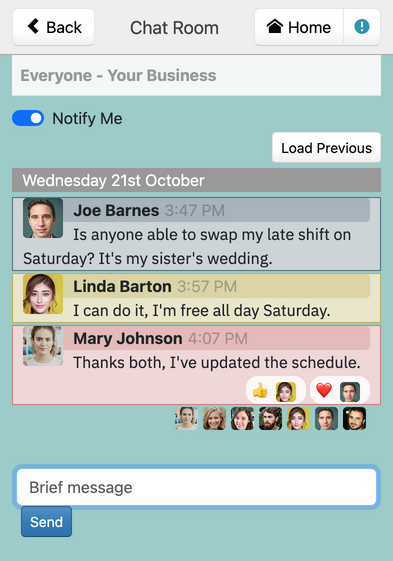
Chat is in the free iPhone and Android apps and on the mobile website, so your team can keep in touch wherever they are. With the app, staff get a notification when a new message arrives.
For news that everyone must read, with a record of who has read it, send a staff memo.