
ShiftApp
Start free trial
21 days free. No card needed.
Staff Availability on the Schedule
Staff can tell you when they can and can't work before you plan the schedule:
- Employees mark times as free or busy, with an optional reason.
- Managers see each person's availability when choosing who to assign to a shift.
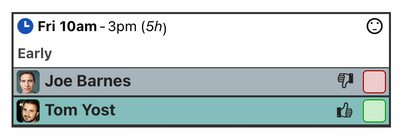
- Availability is also shown next to the staff already assigned to each shift.
For employees
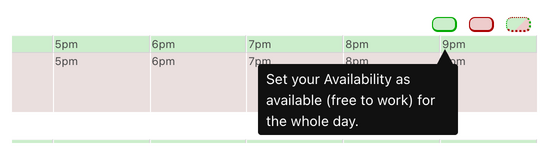
Employees set their availability in a few clicks, on the web or in the app, for a few hours, a whole day or a longer period.
For managers
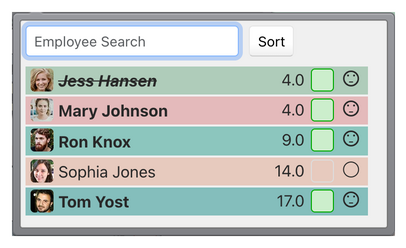
When you assign a shift, the assignment menu shows who is free and who is busy.
Availability is also shown next to each employee assigned to a shift.
You can turn availability off in the workforce settings if you don't need it, and choose whether staff can see each other's availability or only their own.
To check that staff have seen the shifts you give them, use shift agreements.