When an employee is scheduled to work two different shifts at exactly the same time this is called a Double Assignment. Depending on how your business uses ShiftApp, having double assignments on the schedules might be okay, or it might be a problem.
The Workforce Settings,
Resource Double Assignments
Client Double Assignments
Employee Double Assignments
control how ShiftApp allows and displays double assignments on the schedule.
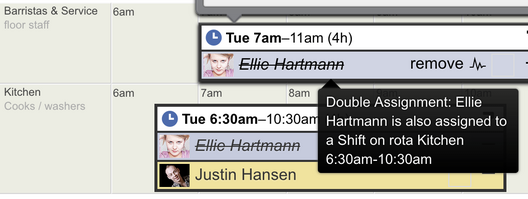
When these settings are set to warn then double assignments are shown on the schedule with a strike written through the assignee's name, like this.
Hover the mouse pointer over the assignment to see a tool-tip with further information about the double-assignment.
a Double Assignment
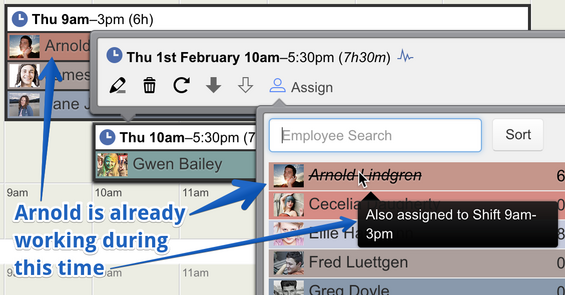
Potential double assignments are also highlighted on the Assignment Menu. The strike through name is displayed only as a visual warning to the schedule manager and ShiftApp will not stop you from making a double assignment when the Workforce Setting is set to warn.
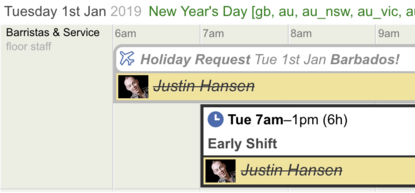
Conflicting Time Off on the schedule are also shown with a strikethrough. This is just a visual warning to the schedule manager.
Double Assignment with Time Off
Please note that double assignments will be fully counted twice in hourly totals shown on the ShiftApp website and in the ShiftApp reports.
When a Workforce Setting for double assignments is set to block then it's not possible to create double assignments. For instance, where an employee is already assigned elsewhere, their name will not appear in the Assignment Menu.
When a Workforce setting for double assignments is set to okay then double assignments are allowed and there is no strike through highlighting.